Introduction
In today’s busy work environments, having basic computer skills is essential for success. Staff members regularly manage emails, prepare reports, and work together online. Developing these skills can greatly improve work efficiency. This article looks at the main areas of basic computer skills needed for office jobs. It also discusses office computer training and digital literacy for people who are just starting.
1.Basic Computer Skills Needed for Office Productivity
Basic computer skills are important for doing office work. Employees start by turning on a computer. They learn how to move around on the desktop. Opening files and folders is part of the process. Saving documents helps prevent the loss of important information. Knowing what different file types are, like PDF or DOCX, is also helpful.
Employees learn to manage windows well.
They switch between different programs quickly. Copying and pasting text helps save time. Using keyboard shortcuts like Ctrl+C makes work faster. Simple troubleshooting can fix small problems. Restarting the computer helps when it freezes. Checking connections can resolve internet issues.
Knowing about hardware is also useful.
Employees connect printers and use scanners for documents. Adjusting screen settings makes working more comfortable. Basic computer skills include managing email. Writing messages properly keeps communication professional. Adding files correctly helps avoid mistakes. Keeping the inbox organised makes everything easier to find.
Cloud storage is becoming more important.
Uploading files to services like Google Drive or OneDrive helps keep data safe. Sharing links makes it easier for people to work together. Basic computer skills also include understanding security. Using strong passwords helps protect personal information. Recognising phishing emails stops unwanted access. These skills help make everyday office tasks run smoothly.
2.Importance of MS Office, Typing, and Internet Basics
MS Office is the main tool used in offices. Word helps to create clean and organised documents. Employees use it to format reports with clear headings. They also add tables to present data in an easy-to-read way. Excel is used for managing spreadsheets. Simple formulas help calculate totals, while charts make numbers easier to understand. PowerPoint is used to create presentations. Each slide is designed to keep the audience engaged. Learning MS Office helps turn ideas into polished and professional results.
How fast someone types can affect their work efficiency.
Typing slowly can delay task completion. Practising regularly can help someone reach a speed of 40 words per minute. Touch typing, which uses all fingers, can reduce typing errors. Online tools can help track progress. Good typing skills support clear and effective communication.
Understanding the basics of the internet is important for research.
Searching on Google quickly finds the needed information. Bookmarking useful websites helps save them for later. When downloading files, it’s important to be cautious to avoid viruses. Safe websites are less likely to carry harmful software. Video calls help connect people who are not in the same place. Tools like Zoom are used to host meetings. Sharing screens during calls can show work in real time. Internet basics also include browsing safely, clearing the cache to speed up loading, and understanding URLs to recognise fake websites. Together, MS Office, typing skills, and internet knowledge form the core of office work.These skills help manage most tasks in an office setting. Office computer training often starts with these basics. Digital literacy for beginners is built upon these fundamental skills.

3.Role of Computer Literacy in Modern Workplaces
Computer literacy is now a key part of almost every job. Modern workplaces rely heavily on digital tools, and employees who lack these skills may find it hard to keep up. Having computer literacy means being able to use technology confidently and solve problems on your own.
Working from home depends a lot on computer skills
Virtual meetings require knowing how to set them up. Sharing files often involves using cloud services. Tools like Slack help teams communicate more efficiently. Computer literacy also helps people adapt to new changes. New software comes out all the time, and being able to learn quickly keeps you competitive.
Data plays a big role in making business decisions
Computer literacy helps analyse spreadsheets and find trends in reports. It also allows for automation, which can save a lot of time. Simple tasks can be repeated using macros. Having these skills can lead to promotions, as managers often value tech-savvy employees.
Computer literacy also helps create a more inclusive workplace
It helps bridge the gap between different age groups. Older workers can learn the basics, while younger ones can build on their knowledge. When everyone has similar digital skills, teams work better together. Computer literacy leads to more innovation as ideas can flow through digital channels. It also improves customer service, as quick responses build trust.
In global offices, computer literacy helps connect people from different cultures
Translating documents digitally can bring teams together. Overall, computer literacy helps people stay relevant in a fast-changing tech world. Keeping up with new technology requires lifelong learning, ensuring careers stay on track.
4.How Basic Computer Training Boosts Confidence and Efficiency
Basic computer training helps new users learn important skills. It begins with easy lessons that are easy to understand. Through hands-on practice, people develop skills they can use automatically. As they complete tasks successfully, their confidence grows. Employees then feel more ready to take on work without hesitation.
The training includes real-life situations
For example, practising how to write office emails teaches proper communication. Learning to create budgets in Excel shows how to use formulas. As these skills improve, people become more efficient. They spend less time fixing mistakes and more time on important tasks.
Group sessions help people ask questions and learn from each other
Peers share helpful tips, and instructors explain things clearly. Office computer training is tailored to the job role, making it easier for people to apply what they learn. For beginners, digital literacy is introduced gradually, so they don’t feel overwhelmed. The lessons build step by step.
Feedback helps improve techniques
Daily typing exercises increase speed, and quizzes on shortcuts help remember them. Employees who are trained can handle multiple tasks at once. They move between apps easily and feel more confident. This confidence leads them to suggest better ways to do things and improve processes.
Efficiency can be measured through results
Reports are finished faster, and meeting preparations are quicker. Training also reduces the number of support requests, allowing IT teams to focus on more complex problems. Basic computer training is an investment in people. It brings long-term benefits, such as higher morale and greater job satisfaction.
5.Courses to Build Essential Digital Skills for Beginners
Master Essential Computer Skills at Sharada Academy
Sharada Academy in Mangalore offers practical, job-ready courses. We focus on MS Office, Tally, Excel, and taxation tools. Classes are held in person at the Kudroli centre. Our expert trainers use real business data to make learning relevant.
Short, Hands-On Courses
Our programs last between 30 and 45 days. Flexible timings are available to suit working professionals. Beginners can start with digital literacy, learning file management, email, and safe browsing. Clear demonstrations and quizzes help build confidence.
Master MS Office & Tally Fast
Excel: Learn pivot tables, formulas, and report creation.
Word: Master mail merge and creating professional documents.
Tally: Get training on GST, TDS, E-Way Bill, and inventory management.
Practice touch typing at 40+ words per minute and use cloud tools.
Real Lab Practice
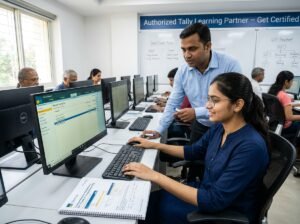
You’ll use actual computers and printers. Hands-on practice helps fix common issues. We offer free introductory sessions. Upon completion, you’ll earn a certificate and receive help with job placements.
Corporate & Custom Training
We provide tailored sessions for teams.
Short modules cover Zoom, Slack, and security. You can download practice files and get quick support through our helpline.
Start today and boost your career. Contact us now for expert guidance and enrollment details. Call +91-9035515874 or email professionalstudies2020@gmail.com.
Contact Us
Ready to boost your career with a Basic Computer Skills? Contact us now for expert guidance and enrollment details. Join our next batch and step into success!